

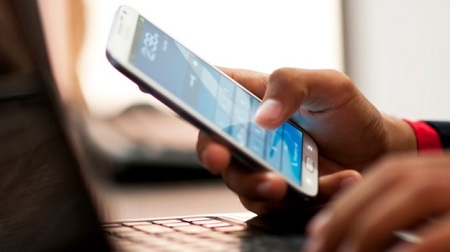
Although many people own one or more smartphones, not everyone knows about some of the really special things it can be used for.
A majority of us have and use smartphones on the daily, but how many of us actually maximize its functions? Aside from voice calls, social networking, telling the time, listening to music and maybe using the device as a flashlight, there are so many other creative ways the smartphone can be used beyond their standard features to make life easier. Jumia Travel shares 5 things you probably didn’t know you could do with your smartphone.
1. Tune a guitar
Yes! You can actually use your smartphone to tune your guitar and as such, you do not need to struggle with an out-of-tune guitar ever again. All you need to do is download and install the Strings Free app, launch gStrings, then press the Menu key and select Settings.
Next, Select the “Optimize For” drop-down list, Select “Guitar” then go back to the main tuning screen. Finally, press the “Tune Auto” button to have the tuner automatically identify the notes. If your phone’s mic is having problems picking up sound from the guitar, go back to Settings and set the microphone sensitivity. This function is usually possible with mostly android smartphones though.
2. Control a TV
This may sound incredible, especially if your phone and your TV are not the same brand, but in reality, it can be done. Almost every smartphone is released with an infrared port that allows you to ditch your standard TV remote and instead use your device to control your TV.
You however need to download an app from google play (if your smartphone is also android) which will help you set it all up. Once it is set up, you are able to carry out all the normal tasks you’d expect from a TV remote, but by using your smartphone.You can try download Peel Smart Remote on Android & iOS.
3. Scan documents
As long as you have a smartphone, you no longer need to go to a cybercafé or use a scanner to scan documents, photographs, receipts, business cards or anything on paper that you want to make digital. The smartphone’s camera is already a portable, pocket document scanner that you need.
For those who use android smartphones, the Google Drive app has a built-in scanning feature while Evernote Scannable is available for iPhone and iPad users. Using the camera lens, scan and then share your scans via email or text, or export them as PDF and JPG files. Most smartphones even gives you the option of automatically rotating, cropping, and adjusting images so your scans are easy to read.
4. A cordless mouse and keyboard
This is super convenient if you are the type who uses a computer a lot and your computer’s touchpad is faulty. Your smartphone, especially android, allows you to download an App called RemoteDroid, which consequently turns your phone to a wireless computer touchpad or keyboard.
This function is also a great solution for people who use their computers as their entertainment hub.
5. A mic
When it comes to communicating with people over the internet, making audio recordings, or using speech recognition, a good microphone is needed. Although, headphones usually come with a mic or there is a built-in microphone in the computer, there are times when the audio quality is not good or the microphone stops working while you are in a middle of a conversation. In case of such an incident, your smartphone right beside you can come in very handy.
There are many Apps available for this purpose, but the one that is easy to set up is ‘WO Mic’ by Wireless Orange. All you have to do is to download that free App on your smartphone and WO Mic Client program and WO Mic device driver on your PC. You can then use your smartphone as a mic using WiFi or Bluetooth or USB.
6. Games console
If you love to play games, especially video games, you will be delighted to know that there are some tremendously powerful smartphones around, which can give you a great gaming experience. The MHL (Mobile High-Definition Link) offers a way to connect phones and other portable electronics to HD televisions and monitors, using an MHL cable linked between the micro USB port on your phone and your screen’s HDMI.
While some phones are rather selective and do not support MHL, If you have got any of the Sony Xperia Z series, another idea is to make use of PS4 Remote Play and play your console games on your phone.
7. A microscope
A number of smartphone cameras are great for taking selfies and short videos, but with some tweaks, you can actually turn the turn the same camera into a microscope. With magnification levels up to 375x, you easily conduct a scientific experiment with your phone and satisfy your scientific curiosity or just enjoy the aesthetics of greatly magnified photos.
Parents will love this as it could come in handy when doing home science project with their kids