

How to Build a Social Media Content Calendar: A Step-by-Step Guide
If you’ve ever found yourself scrambling to come up with a last-minute post, you’re not alone. A social media content calendar is the solution—and a game-changer for anyone looking to stay consistent, strategic, and stress-free.
In this guide, we’ll walk you through exactly how to build a content calendar that keeps your social media organized and your audience engaged.
Why You Need a Content Calendar
A well-structured content calendar helps you:
Stay consistent across platforms
Plan ahead for important dates and campaigns
Maintain content variety and balance
Collaborate with team members more easily
Reduce stress and last-minute posting
Step 1: Define Your Goals and Content Pillars
Before you plan content, get clear on your objectives. Do you want to increase brand awareness? Drive website traffic? Grow your email list?
Once you know your goals, identify 3–5 content pillars (key themes) your content will revolve around. Examples include:
Educational tips
Behind-the-scenes
Promotions and offers
User-generated content
Testimonials and reviews
Step 2: Choose Your Platforms
Decide which platforms you’ll be posting on (e.g., Instagram, Facebook, LinkedIn, TikTok) and tailor your calendar accordingly. Different platforms may require different content formats and posting frequencies.
Step 3: Decide Your Posting Frequency
Determine how often you’ll post on each platform. Be realistic based on your resources.
Example weekly breakdown:
Instagram: 4 posts, 3 stories
Facebook: 3 posts
LinkedIn: 2 posts
TikTok: 2 videos
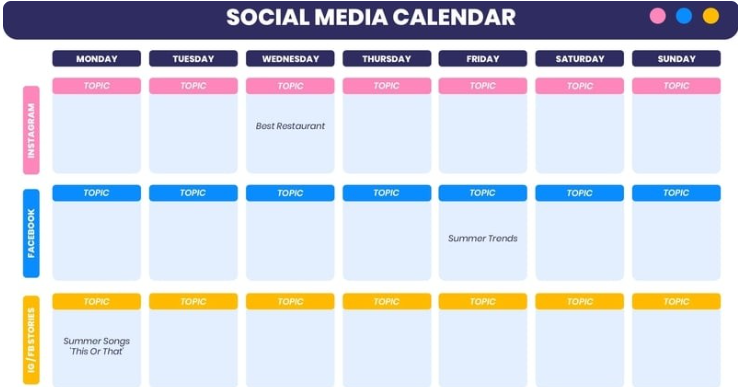
Step 4: Select a Format for Your Calendar
Choose the format that works best for you and your team:
Google Sheets or Excel (great for sharing)
Trello or Notion (good for visual planning)
Social media scheduling tools like Later, Buffer, or Hootsuite
Include columns for:
Date
Platform
Content pillar
Caption
Image/video
Hashtags
Status (draft, scheduled, published)
Step 5: Start Filling In Your Calendar
Begin by plugging in key dates:
Holidays and observances
Product launches or campaigns
Events or webinars
Industry-related days (e.g., National Coffee Day for a café)
Then fill in your weekly recurring content based on your content pillars.
Step 6: Batch Create and Schedule Content
Save time by creating content in batches. Design graphics, write captions, and collect hashtags in one go.
Then, use scheduling tools to automate publishing, so you’re not tied to your phone every day.
Step 7: Review and Adjust
At the end of each month, review your analytics to see what performed best. Use this insight to improve next month’s calendar.
Ask yourself:
Which posts had the most engagement?
What types of content flopped?
Did we stay aligned with our goals?
Final Thoughts
Building a social media content calendar doesn’t have to be complicated—but it will make your life easier. With a little planning and structure, you’ll save time, reduce stress, and post more intentionally.


